Fix Reddy Anna Deposit Not Added Issue: Quick Steps & Complete Guide
Staring at your screen and facing a reddy anna deposit not added issue status can be frustrating, especially when you are eager to trade live match odds. If your payment went through from your bank account but your wallet balance remains unchanged, you are likely dealing with a temporary reddy anna deposit pending or reddy anna deposit failed state. Thousands of users encounter a wallet top-up delay daily due to banking server queues or payment gateway lags. The good news is that every single reddy anna deposit not added issue can be resolved quickly.
In this guide, we break down why your reddy anna money not credited status happens, provide step-by-step troubleshooting steps, and explain how to use the official reddy anna deposit issue contact number team to update your balance. Whether you access your account through an official Reddy Anna login link or through mobile browsers, following this guide ensures your funds are cleared safely.
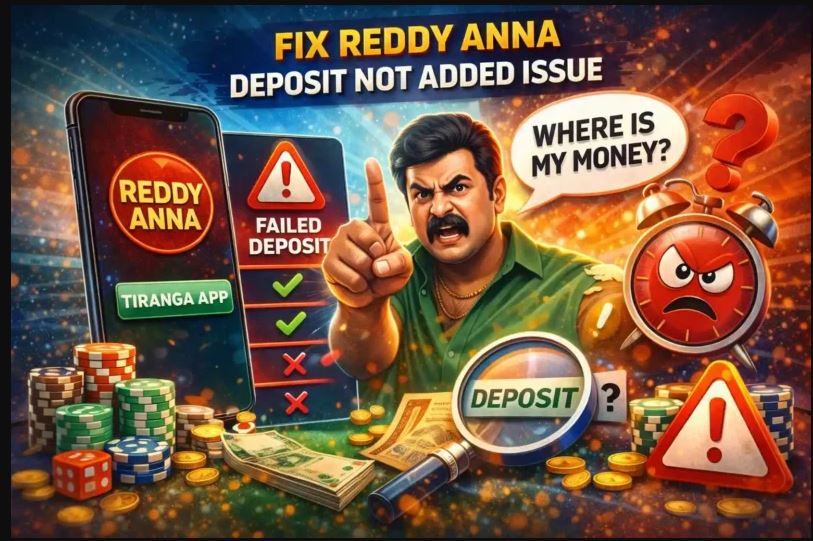
1. What Causes the Reddy Anna Deposit Not Added Issue?
Understanding why a reddy anna deposit not added issue occurs helps you resolve it much faster. The most common technical causes include:
A. Banking Gateway & Server Synchronizations
During high-profile matches, banking servers handle massive transaction volumes. This sudden load often causes a reddy anna upi payment issue, where funds leave your bank account but take 5 to 15 minutes to reflect, leaving your transaction in a reddy anna deposit pending state.
B. Mismatched UTR / Reference Number Entry
When updating your wallet balance on your Reddy Anna ID, you must submit your 12-digit UPI transaction reference (UTR) code. Typos or missing digits trigger an automatic verification mismatch, resulting in a reddy anna deposit failed error and a persistent reddy anna deposit not added issue.
C. App Interruption & Network Lag
If your mobile connection drops while authorizing a transfer, the payment gateway confirmation message may fail to reach the server. This leaves your funds showing as reddy anna money not credited until manual ledger verification takes place.
2. Step-by-Step Solutions to Resolve Deposit & Withdrawal Delays
If you are dealing with a reddy anna deposit not added issue right now, follow these exact steps to update your wallet balance immediately:
Step 1: Save Your Payment Receipt and 12-Digit UTR Code
Open your UPI payment app (Google Pay, PhonePe, or Paytm) and locate your transaction history. Save a clear screenshot displaying the transaction timestamp, total amount, and the 12-digit UTR reference code.
Step 2: Check Account Transaction History
Log into your account dashboard and review your payment logs. Check whether the status displays reddy anna deposit pending or reddy anna deposit failed. If it shows pending, refresh your dashboard or wait 10 to 15 minutes for server clearance.
Step 3: Clear Browser Cache or Use the Mobile App
If your account continues to show reddy anna money not credited, close your browser, clear its cache, and re-log in. For a smoother experience without browser caching issues, download the official application from our Reddy Anna App APK Download page to track transactions in real time.
Step 4: Contact Customer Care via Official Support
If 15 minutes pass and your reddy anna deposit not added issue remains unresolved, reach out directly to customer support via the verified reddy anna deposit issue contact number desk. Share your username, payment screenshot, and 12-digit UTR for instant manual wallet processing.
Handling Payout Hiccups
Just like top-up delays, encountering a reddy anna withdrawal problem can disrupt your trading flow. To resolve a reddy anna withdrawal problem, ensure your linked bank details match your profile name, confirm that bonus wagering conditions are met, and contact support if your payout is delayed beyond the standard 15-minute clearance window.
3. Contacting Official Support & Prevention Best Practices
To clear a reddy anna deposit not added issue or fix a reddy anna withdrawal problem, always use direct customer service channels.
A. Reaching Official Customer Care Safely
- Live Chat & WhatsApp Support: Connect via verified links inside your account dashboard to resolve any reddy anna upi payment issue.
- Direct Verification: Submit your UTR code directly to the official reddy anna deposit issue contact number team for priority manual updates.
- Avoid Unverified Third Parties: Never share transaction pins or OTPs in online comment sections or unverified messaging groups.
Managing your profile through an active Reddy Anna Book ID grants access to 24/7 dedicated human support executives to ensure fast resolution times.
B. Proactive Tips to Prevent Future Payment Delays
To avoid experiencing a reddy anna deposit not added issue or a reddy anna upi payment issue in future transactions:
- Double-Check UTR Numbers: Always copy and paste your 12-digit UTR reference number to avoid manual entry mistakes.
- Top Up Before Match Hours: Complete wallet deposits slightly ahead of peak match start times to avoid payment gateway queues.
- Use Consistent Payment Accounts: Use the same UPI account to speed up auto-verification checks and avoid a reddy anna deposit failed flag.
For instant wallet updates, secure logins, and customer assistance, always access your account via the verified Reddy Anna official portal.
Deposit & Withdrawal FAQs
Frequently asked questions regarding deposit issues, pending payments, UTR verification, and withdrawal clearance.